
Disclosure: some links in this post are affiliate links. You pay the same price, and I may earn a small commission. That is how I keep testing tools and recommending only what I actually trust and use.
Hi,
This is the question I receive most often: “My emails are going to spam in Gmail, and nothing obvious changed. Why?”
Gmail rarely decides this because of one single thing. So before you rewrite your content or switch tools, start with the timeline. The useful question is not “what is wrong with my email?” It is “what changed, and when?”
If you prefer video, here is the full walkthrough:
Why are my emails going to spam in Gmail?
Usually because something changed on the sending side, and Gmail’s signals reacted to it. Authentication, sending volume, audience, format and unsubscribe options all appear in Google’s Email sender guidelines. To find your cause, check authentication first, then build a timeline of what changed in the weeks before the problem started.
What should I check first?
Check authentication in Gmail’s Show original view. It takes about two minutes.
- Send one of your real emails, from your real sending platform, to a Gmail address you own.
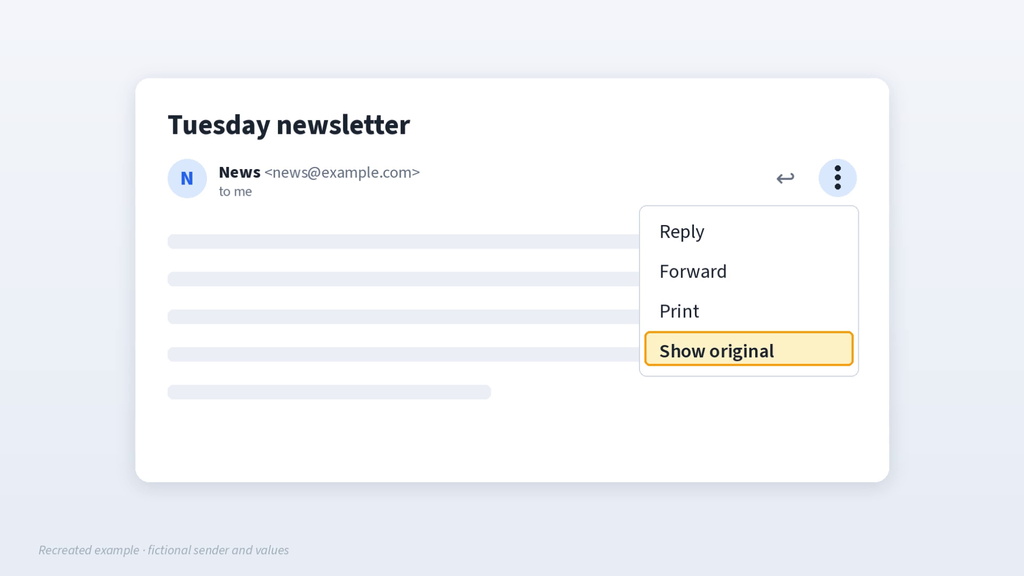
- Open it, click the three dots next to Reply, and choose Show original (Google’s help page).
- Near the top, Gmail shows a summary with SPF, DKIM and DMARC. You want to see PASS on each one.
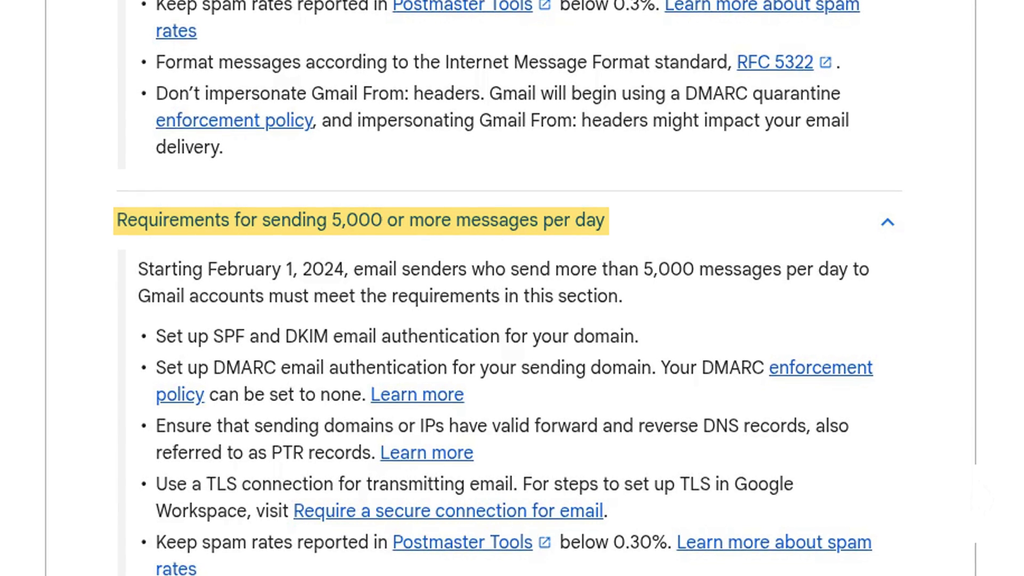
According to Google’s sender guidelines, every sender to personal Gmail accounts needs SPF or DKIM. If you send around 5,000 messages a day or more, Google requires both, plus DMARC, aligned with your From domain.
If any line says FAIL, or it is missing, that is your first suspect. Fix it before you touch anything else.
One caveat: this tells you how one message was authenticated in one mailbox. It does not tell you where your campaign landed for the rest of your list. A message accepted by the server did not necessarily reach the inbox.
Authentication passes. How do I build the timeline?
Write down the exact date the problem started, then list every sending-side change in the weeks before it.
Step one: the date. Be as precise as you can. “Sometime last month” is hard to work with. “The Tuesday newsletter on the 4th” is much better.
Step two: go back a few weeks. There is no official window for this. In my experience, two to four weeks before the date is a reasonable place to start.
What changes should I look for?
I usually look at five areas.
- Infrastructure and authentication. A new email platform, a DNS migration, a new sending domain, new DKIM keys? Any of these can break authentication, or give you a domain Gmail does not know yet.
- Volume. Did you send noticeably more than usual? Google’s guidelines say that suddenly doubling the volume you used to send can cause rate limiting or reputation drops. Google recommends increasing volume slowly and sending at a consistent rate, not in bursts.
- Audience. Did you import an old list, or email people who have not heard from you in months? Old addresses bounce, and people who do not remember you are more likely to click Report spam. Google says that when messages from your domain are frequently reported as spam, future messages are more likely to be marked as spam too.
- Content and format. If you switched to a new template or a new type of campaign, Google recommends increasing the volume of that new format gradually as well.
- Unsubscribes. Did the unsubscribe link get harder to find? Bulk senders to Gmail need one-click unsubscribe and a clearly visible unsubscribe link in the message body. In practice, when people cannot leave easily, some of them use the SPAM button instead.
How do I compare my changes with Gmail’s data?
Set up Google Postmaster Tools and put your timeline next to its dashboards.
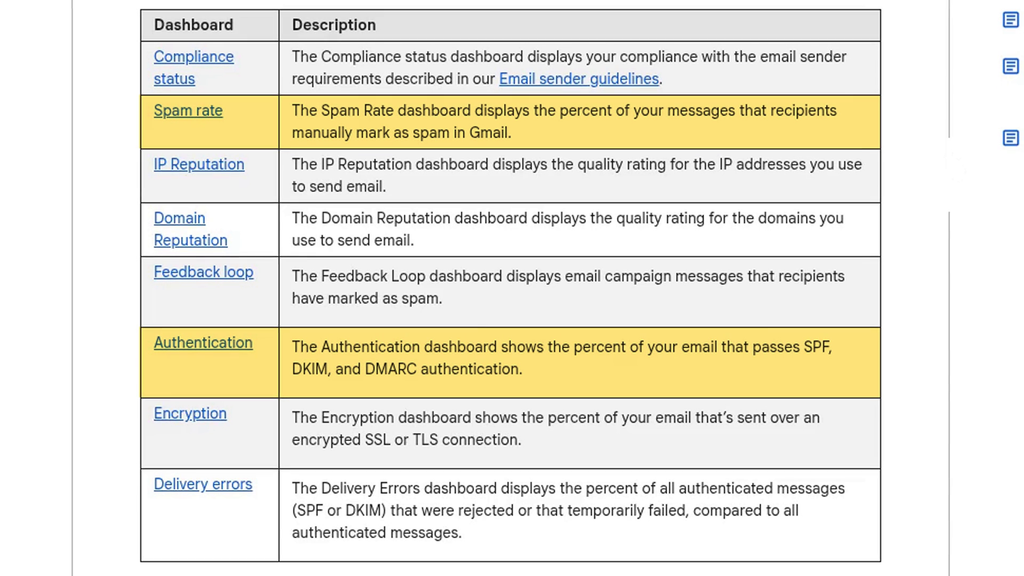
If you send to personal Gmail accounts, Postmaster Tools is free. Its dashboards show your spam rate, how much of your email passes SPF, DKIM and DMARC, delivery errors, and a compliance status for Google’s sender requirements.
Google recommends keeping the spam rate reported in Postmaster Tools below 0.10% and never reaching 0.30% (sender guidelines FAQ). Staying below those numbers does not guarantee the inbox. Crossing them is a clear warning sign.
When you read the data, keep in mind:
- It is not real time. Google says it is usually updated within 24 hours.
- On low-volume days, some data may be missing.
- It only covers personal Gmail accounts (addresses ending in @gmail.com).
Missing data should not automatically be interpreted as an absence of problems.
How do I know which change caused the problem?
You test it, one change at a time.
Say the spam rate went up the week after you imported that old list. The list is your main suspect, but a suspect is not a verdict. Correlation is not causation.
So pause that segment, keep everything else the same, and watch the next sends. If you change the list, the template and the volume in the same week, you will not know which change helped. Every case is different, and the timeline is what shows you yours.
How can I see where my email actually lands?
Run an inbox placement test. Your email platform says “delivered”, but delivered does not tell you whether the message was filed in the inbox or in spam.
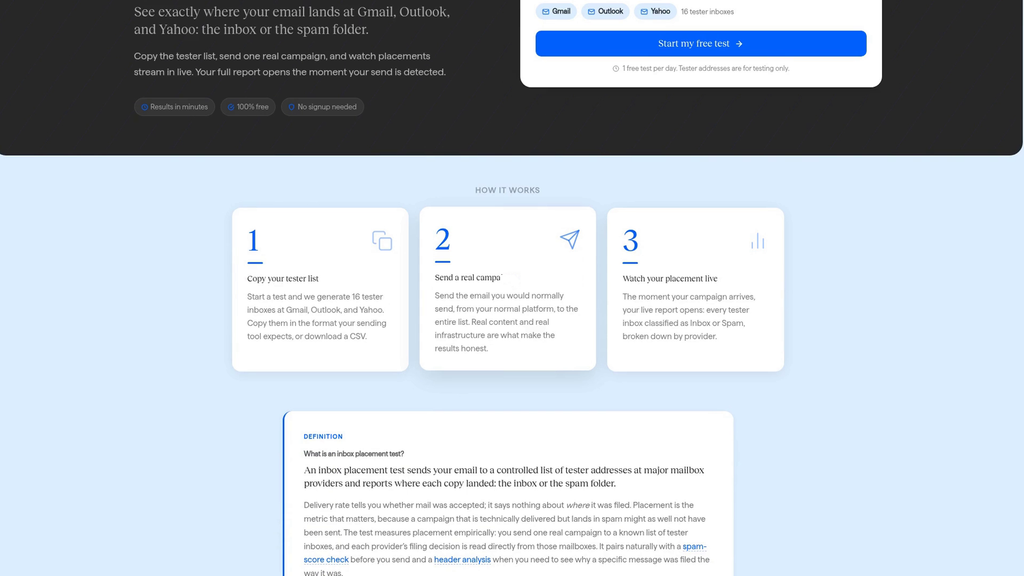
The one I use is InboxAlly’s free Email Placement Tester. It works like this, according to InboxAlly:
- You get a list of 16 tester inboxes at Gmail, Outlook and Yahoo.
- You send your real campaign, from your real platform, to all of them.
- The report shows which copies landed in the inbox, which went to spam, and which never arrived.
That makes it a good before-and-after check while you test one change at a time. The free version allows one test per day.
Two limits are worth keeping in mind. First, a spam score predicts risk from one message, while a placement test shows where the email actually landed. Second, sixteen tester inboxes are not your whole list. Seed results do not measure the placement of every real recipient. These tester inboxes only measure placement; running the test does not change your reputation.
In the next video and post, I run the free placement test step by step, so you can see exactly what the report shows.
What if the timeline points to sender reputation?
Fix the cause first, then rebuild reputation gradually.
If your timeline points to reputation, for example after a wave of complaints, clean the list and send only to people who asked for your email. A warm-up tool will not compensate for a list that keeps generating complaints.
Then, if you want to accelerate the recovery through automation, consider using InboxAlly for warm-up. According to InboxAlly, it works with the email platform you already use. Its seeds engage with your real campaigns through a browser, the way a person would: they move messages out of spam, reply, and mark them as important.
There are other warm-up tools out there, some maybe even cheaper, but in general they do not work that way. In my experience, most of them interact through an API and use their own customers’ mailboxes in a shared network that sends mail back and forth. That pattern is usually easy to detect with public lookup tools.
Keep the two roles separate. Warm-up seeds generate positive engagement signals, but they do not measure the placement of every real recipient. Placement-test inboxes do the opposite: they measure where a message landed and generate no engagement.
InboxAlly does not replace a clean list or consent, and it takes time. InboxAlly itself says a full reputation repair often takes four to eight weeks.
Quick recap
- Check authentication with Show original (SPF, DKIM and DMARC should show PASS).
- Write down the date the problem started.
- List what changed in the weeks before: infrastructure, volume, audience, format, unsubscribes.
- Compare your timeline with Postmaster Tools, then change one thing at a time.
- Measure placement before and after each change.
Now I would like to hear from you: when did your emails start going to spam, and what changed right before?
Until next time,
Fabrício